Thursday, April 3, 2008
Thing 14: Library Thing, Old Friend
It is criminal that I have had a Library Thing account for over a year, and it has been sorely neglected. I think the widget is new, and that was really easy to include in the sidebar of my blog. I don't quite have tags on all of my books, and I had forgotten the real power of Library Thing resides under your profile. This is where you can truly harness the power of fellow Library Thingers, and get recommendations of other things you may want to read. This has got to have huge impact on Readers Advisory. This is it, I am going to finally get my personal library in order, then give access to my family. They will love it, I will love it. Library Thing is going to get more of my attention this year, and that is a resolution!

Tuesday, April 1, 2008
Thing 13: Online Productivity Tools
I have been using my IGoogle page ever since I saw a presentation on it at a MEMO conference. I had set up RSS feeds before on Bloglines, then almost always forgot to log into Bloglines to read the feeds. Making my home page my IGoogle page is the only way I remember to read my RSS feeds, access my Gmail, my google Docs, and include a watch on my stocks, read some wellness news, and stay on top of national news headlines. There are just so many things you can include on your page, and it is super, super easy to arrange how you want it all to look. Love it! I always include things too like the Leadership Quote of the day.Today's quote is "Every organization must be prepared to abandon everything it does to survive in the future." ~ Peter Drucker
Thing 12: Social Media Sites
Interesting stuff, but makes me feel a bit like an old fogey. Many of the interfaces are just toooooo much, too much all over, things flashing, moving, scrolling, yuck!. I could get lost in all of the stuff and spend copious amounts of time I am afraid.It is fascinating though that many people appear to love these sites, so we need to take note! Of all of these tools, I find Mixx to be my favorite, but I can easily see that it doesn't attract the crowd that Digg does. I think I may still be OK with that if I find a need to see what folks are going crazy about on any given day. Of all of them I like Reddit the least...
Thursday, March 27, 2008
Thing 11: Tagging & Delicious
I've been using Delicious for a while, but after watching the tutorial, I feel I learned some new things about it. It is a great way to keep your bookmarks "portable", but in the future, I will be looking at it more as a way to find additional bookmarks on given subjects. When I am putting together the resources section of my newsletter, this would be an excellent tool. Never thought of it that way, so this is great. At a real basic level, whats not to love about a tool that makes it easier to keep track to your bookmarks?
Sunday, March 23, 2008
Thing 10: Wikis
No sweat....I created the 23 Things on a Stick wiki (using PB Wiki), although I barely recognize it anymore. Because we wanted to give all participants an opportunity to post to it, and share insights and ideas, it has changed a lot. I must admit, wikis are not my favorite tool. I have been an editor of sorts for over 15 years now, and I believe there is a place for wikis, but I have a hard time knowing exactly "where we are at" in the publication process with such a free flowing process and document. Me thinks it may be fascinating for students to use in a group process of creative writing. Having said that, I could also see sharing a doc with my 11-member Governing Board to get their immediate input....just not my favorite tool, which is fine....
Thing 9: Online Collaboration Tools
I think one of the coolest ways to learn to use these tools is when you are trying to solve a problem. Kicking off 23 Things in our CMLE region created just such a test case. My two other CMLE 23 coaches are LeAnn Suchy, College of St. Benedict, and Cindy Gruwell, St. Cloud State University. From the very beginning, we needed a way to share the registrations of our participants and Google docs became a great solution. We found it best to do the major creation of our Excel document locally, then upload it to our CMLE23 gmail account, where we can all get at our Google docs. In addition to keeping contact info on our participants, we are also able to keep our spreadsheet for tabulating the progress of our participants. This information helped us estimate how many completion prizes were needed too....
Zoho has a Project Management Software tool I would like to further investigate. Got into a tussle with trying to create a portal URL. Later....
Zoho has a Project Management Software tool I would like to further investigate. Got into a tussle with trying to create a portal URL. Later....
Thing 8: Share Your Creations
OK, so I admit it, this has been a really fun day with playing with pictures...great fun, and fairly astounding results. I'm not sure anyone will believe "I did my own work". I dabbled with some of these tools a few years ago, but it is unbelievable how easy these things have become. I can think of all kinds of uses for these tools. When CMLE hosts it annual meeting, this would be a wonderful way to share photos of the author and CMLE participants. I am very excited to start using some of these tools for such applications. Stumbled across something called Smilebox, which looked very cool, and appeared to also include music in slideshows. Am thinking about things like 50th wedding anniversaries too, and how easy it would be to put some of these slideshows together. Waaayyy cool.....


Thing 7: 2.0 Communication Tools
I sort of forgot that I can change how often I receive email messages. I absolutely am going to set mine to check once every hour, rather than the continual barrage, which definitely can affect how productive you can make in the moment! I got all excited about Mail Template, but it appears it is a Mac application? In Outlook, I sort of do the same thing now. I create "template messages" for topics, then save them as a draft. Then, I copy and paste the text into a new message when I need it.I liked the quote, "stop letting your email poke you with a stick, its just not worth it". Funny, but a big part of my job is responding to these pokes, but maybe I can at least manage how often the pokes happen. I have noted an alarming increase in folks who just don't read their email, or maybe once a day!?!? Do we seriously have this luxury???
The instant messaging video was a good demo of IM, but I wonder how long it would take librarians to get comfortable with the lingo. I would be worried that I could not easily translate what the students were saying to me. I have found text messaging very handy with my kids. They seem to actually prefer it much of the time, and we've had some good laughs with trying to outdo each other in outrageous responses at times....
The multitype directors have been having some meetings using OPAL software. It is a nifty way to touch base, look at common documents, all have a change to talk, and save a fair amount of windshield time and mileage dollars. Not great for all meetings, but works well for specific needs. Over the last three years I have attended several MINITEX webinars, webjunction webinars, and others....love it! Most are free, and I don't have to travel.
I just set up my Twitter account for use at next week's PLA conference in Minneapolis. the conference will be humungous, and Twitter or texting will be a great way to find colleagues to have dinner or get together. What did we do before we had these tools???
The instant messaging video was a good demo of IM, but I wonder how long it would take librarians to get comfortable with the lingo. I would be worried that I could not easily translate what the students were saying to me. I have found text messaging very handy with my kids. They seem to actually prefer it much of the time, and we've had some good laughs with trying to outdo each other in outrageous responses at times....
The multitype directors have been having some meetings using OPAL software. It is a nifty way to touch base, look at common documents, all have a change to talk, and save a fair amount of windshield time and mileage dollars. Not great for all meetings, but works well for specific needs. Over the last three years I have attended several MINITEX webinars, webjunction webinars, and others....love it! Most are free, and I don't have to travel.
I just set up my Twitter account for use at next week's PLA conference in Minneapolis. the conference will be humungous, and Twitter or texting will be a great way to find colleagues to have dinner or get together. What did we do before we had these tools???
Thing 6 Revisited
Now that I am finally getting a little discipline in my blogging for these tools, I revisited this thing and perused a couple more resources.
Image Chef worked well to create the Think Spring! animation on my blog. Have I mentioned how much fun I am having???
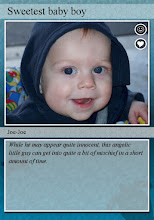
I also had a great time making a trading card of my grandson. At our CMLE offices we get lots of requests for interlibrary loan materials on famous Minnesotans. The students would probably love to make a trading card of their person to include with their dramatic presentation or final paper...they could be tasked with including the 5 most noteworhty accomplishments of their person....
Image Chef worked well to create the Think Spring! animation on my blog. Have I mentioned how much fun I am having???
I also had a great time making a trading card of my grandson. At our CMLE offices we get lots of requests for interlibrary loan materials on famous Minnesotans. The students would probably love to make a trading card of their person to include with their dramatic presentation or final paper...they could be tasked with including the 5 most noteworhty accomplishments of their person....
Subscribe to:
Posts (Atom)